Project Overview
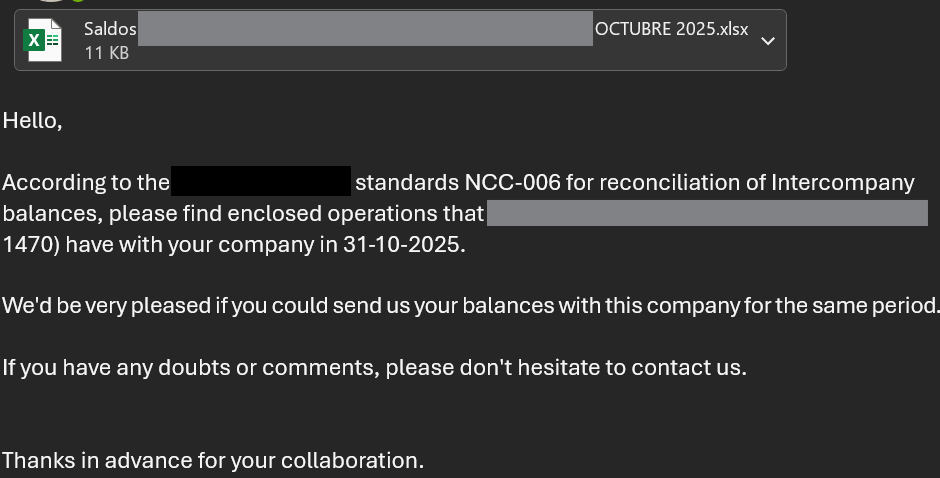
The finance department of an international company is required to distribute a financial report by the fifth working day of each month to it’s sister companies around the world. This report is delivered as an Excel file containing individual financial data for each entity.
Currently, the report is manually attached and sent via Outlook to approximately 200 recipients. This process is time-consuming and typically requires a full workday to complete for the team member responsible.
Approach
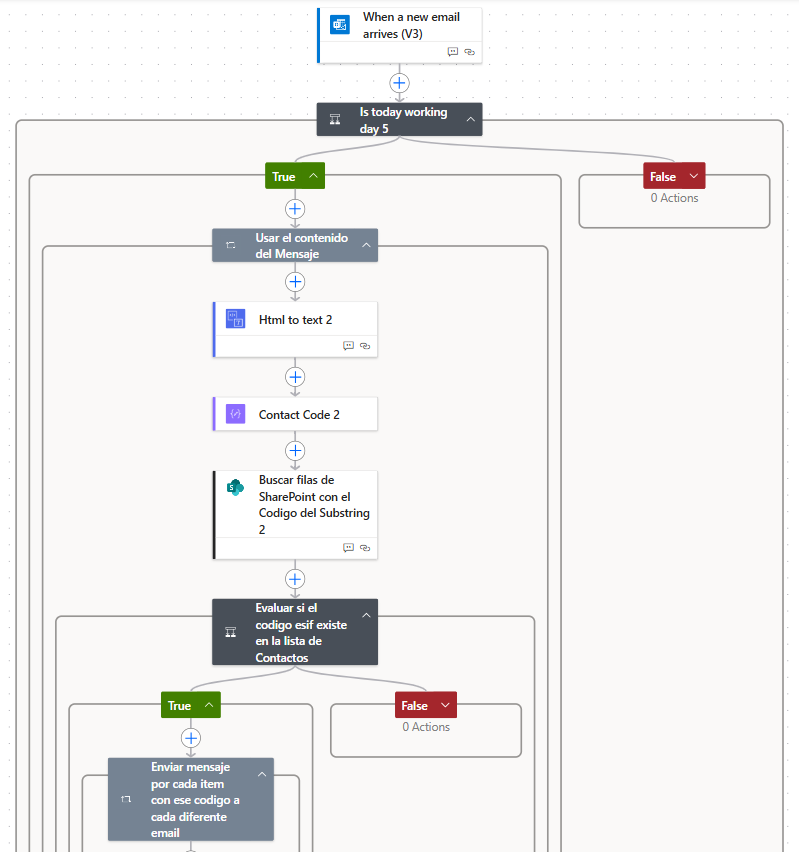
Power Automate enables seamless integration and automation across Microsoft applications. Since the reports originate from MicroStrategy (a non-Microsoft platform), they were configured to be delivered via Outlook. Power Automate then extracts the attached file and email content to capture the required information.
The next step was to customize each outgoing message to meet the specific communication requirements for different recipients. For example:
– A language selection depending on the country of the operator, either English, Spanish or German.
– Dynamic message content including the company code or the name of the company.
– Some reports had to be first checked by accounting depending on the receiver importance.
To support these requirements, a SharePoint list was created. This list is directly connected Power Automate and contains each recipient’s configuration details, including language preference, company code, routing rules (whether the report is sent directly to the recipient or first to accounting), and metadata such as the status of the last sent report.
The final step was implementing conditional logic within the Power Automate flow to apply these specifications and send the appropriate report to each recipient listed in SharePoint. A key advantage of this setup is its flexibility: if requirements change in the future, users can update the SharePoint list directly instead of modifying the flow itself. This eliminates the need for technical expertise within the finance department and ensures the process remains easily maintainable.
Results
This automation eliminated an entire day of manual work each month for the finance team, reducing the task to just a few minutes and generating significant labor-cost savings for the company.
In addition to this initiative, several more complex automation projects were built using Robotic Process Automation (RPA) with Power Automate. Although these cannot be shared due to confidentiality restrictions, the work included end-to-end automation supported by Power Automate Desktop, a cloud-hosted virtual machine in Azure, and Python. This setup enabled automation of virtually any repetitive operational task.